
Client Portal Update (Jan 2026)
New features released in our client portal to ease your life during tax season!
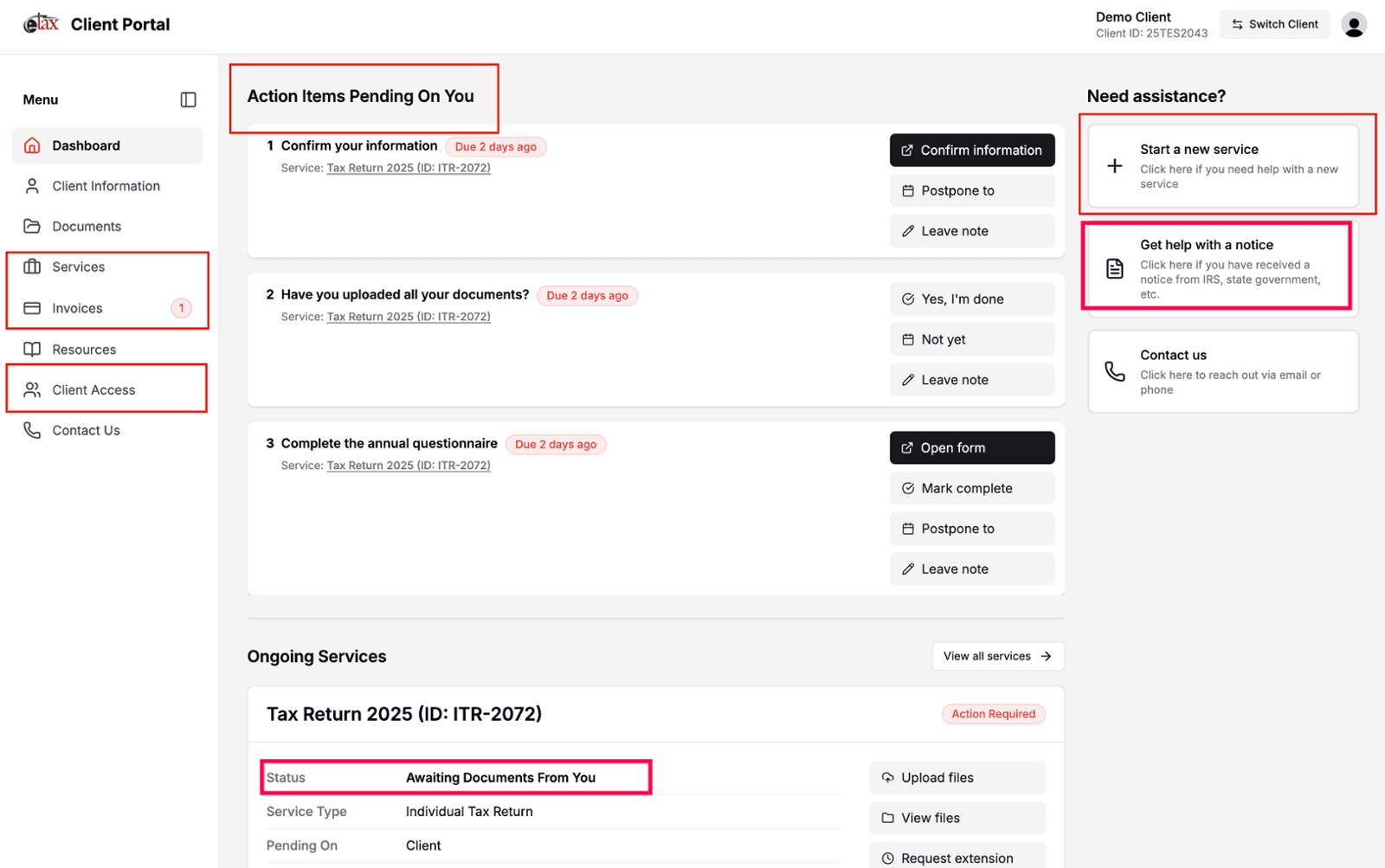
We are releasing some new features in the client portal to make your experience with us even better!
Your To-Do List is front and center
All action items that are pending on you, regardless of service, are now displayed on the Dashboard, front, center and on top. Upon logging in to the client portal, click on the Dashboard on the left menu to access these.
Invoice history now available
View all invoices, not just outstanding ones. Click on the Invoices button on the left menu.
Service history now available
View all services, with the ability to archive completed services. Click on the Services button on the left menu.
Control access to your client profile
Manage who can access your client profile and which email addresses are authorized. Click on the Client Access button on the left menu.
Request a new service
From your Dashboard, click “Get help with a notice” in the Need assistance? section on the right.
Track the status of your tax return
We have integrated our project management system and the client portal allowing you to see the progress being made on your tax return. Access this by going to the Dashboard on the left menu and scrolling down to see “Ongoing Services”. Status of every service is now visible to you.
Get help with an IRS or state notice
From your Dashboard, click “Get help with a notice” in the Need assistance? section on the right. Upload the notice securely and submit any requested details to start the review.
Log In to the Client Portal Now
Additionally, we have published the following on our website to make it easier for you to understand our process:
Thank you for choosing our firm to handle your tax needs. We look forward to continuing to serve you with the highest level of care and dedication.